CH360 Billing
A National Payer Network Through Office Ally
CH360 connects your services to Office Ally’s extensive network of contracted payers, making it easier to bill, get paid and grow your funding opportunities.


One connection · 2,000+ payers
Office Ally contracted payer network
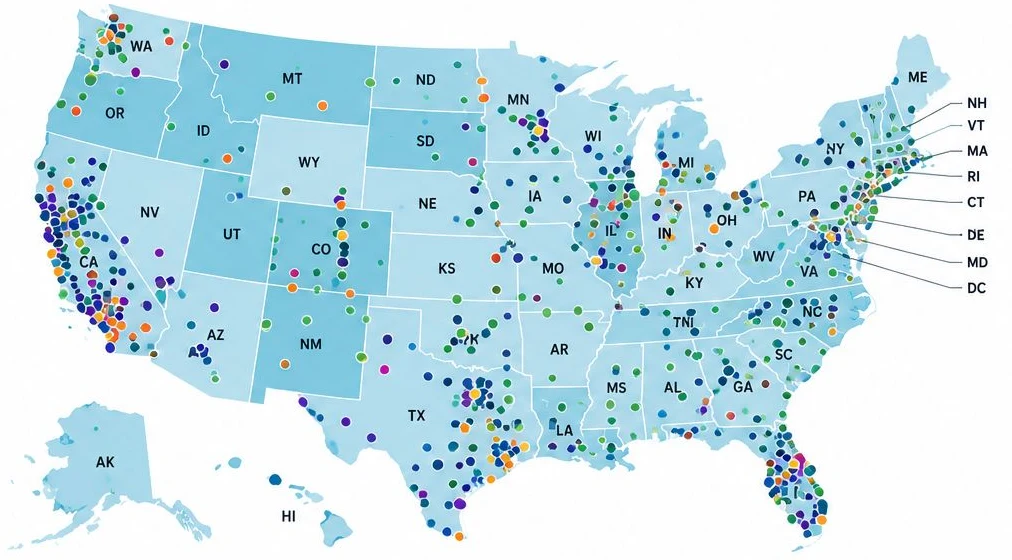
- Commercial Health Plans
- Medicaid / Managed Care
- Medicare / Medicare Advantage
- Government & Other Payers
1,200+
Commercial Health Plans
National and regional insurers
300+
Medicaid and Managed Care Plans
State Medicaid, MCOs and regional plans
200+
Medicare and Medicare Advantage Plans
Including SNPs and other special needs plans
300+
Government, Behavioral Health and Other Payers
State, county, Tricare, VA, workers’ compensation and more
2,000+ Total Contracted Payers
One connection. A stronger path to reimbursement.
How billing works in CH360
From documented service to tracked payment.
Step 1
Understand Payer Coverage
Know which payers in your state cover your services and what documentation is required.
Step 2
Prepare & Validate Claims or Invoices
Generate claims with AI support, apply Office Ally billing rules and validate before submission.
Step 3
Submit Through Office Ally
Send claims and invoices directly through Office Ally’s secure connection.
Step 4
Track Payments & Touchpoint Reports
Monitor claim status, payments, denials and key touchpoint reports.
Payers decide coverage and payment. Your team reviews every claim or invoice before it is submitted.
Get paid for the services you already deliver.
See how CH360 and Office Ally fit your programs, payers and state.
Book a demo